
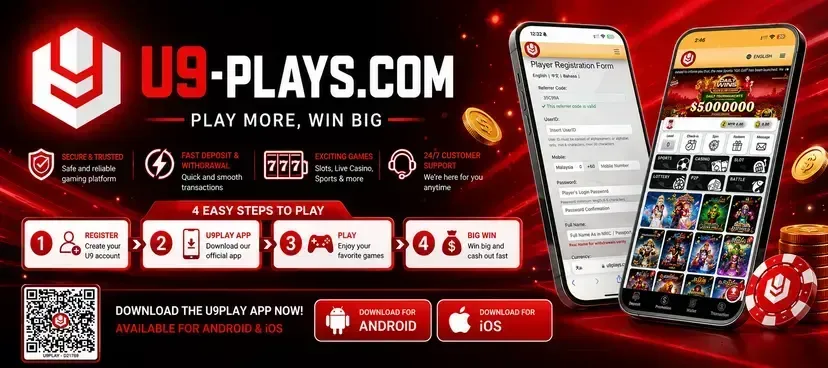
U9Play Download Malaysia - Android APK, iOS, Huawei & H5
U9Play can be accessed on Android, iPhone, iPad, Huawei, PC and other supported devices. Choose the option that matches your device and follow the instructions below to download the APK or access U9Play directly through your browser.
Android and Huawei users can use the APK version where supported, while iPhone, iPad and PC users can access the H5 browser version without installing an application.
Quick Download - Choose Your Device
- Android: Download U9Play APK
- iPhone / iPad: Access U9Play on iPhone
- Huawei: Download U9Play for Huawei
- PC / Browser: Open U9Play H5
U9Play Download Android APK
What is U9Play Android APK?
The U9Play Android APK is an installation file designed for supported Android smartphones and tablets. It allows users to access U9Play through a mobile application instead of opening the website in a browser every time.
Benefits of U9Play Android App
- Fast access from Android devices
- Mobile-friendly interface
- Convenient account login
- Easy daily access
- Suitable for supported Android smartphones and tablets
How to Download U9Play APK
- Click the Download U9Play APK link.
- Wait for the APK file to finish downloading.
- Allow installation from the downloaded file if your device requests permission.
- Open the downloaded APK file.
- Tap Install and wait for the installation to complete.
- Open U9Play and login or register your account.
Android Download Requirements
- A compatible Android smartphone or tablet
- Enough available storage space
- A stable WiFi or mobile internet connection
- Permission to install downloaded applications if required
Download U9Play APK
U9Play Download for iPhone & iPad
How to Access U9Play on iPhone
iPhone and iPad users can access U9Play through Safari or another supported browser without installing an Android APK.
- Open Safari on your iPhone or iPad.
- Visit the U9Play H5 website.
- Login to your existing account or register a new account.
- Access U9Play directly through your browser.
Add U9Play to iPhone Home Screen
You can also create a Home Screen shortcut for faster access.
- Open U9Play in Safari.
- Tap the Share icon.
- Select Add to Home Screen.
- Enter U9Play as the shortcut name.
- Tap Add.
Benefits for iPhone and iPad Users
- No APK installation required
- Direct browser access
- Home Screen shortcut available
- Suitable for iPhone and iPad
- Easy access from Safari
Access U9Play on iPhone
U9Play Download for Huawei
U9Play APK for Huawei
Huawei users can install the supported APK version directly on their device where APK installation is available.
U9Play H5 for Huawei
If you prefer not to install an application, you can access U9Play through the H5 browser version instead.
How to Install U9Play on Huawei
- Click the Huawei APK Download link.
- Open the downloaded APK file.
- Allow installation permission if your device requests it.
- Tap Install.
- Open U9Play and login or register your account.
Huawei Installation Tips
- Check application installation permissions
- Use a stable internet connection
- Make sure your device has enough free storage
- Keep your browser updated when using the H5 version
Download U9Play for Huawei
U9Play H5 - Access Without Download
What is U9Play H5?
U9Play H5 is the browser-based version of the platform. It allows users to access U9Play through a supported browser without downloading or installing an APK file.
Benefits of U9Play H5
- No application download required
- No APK installation required
- Can be accessed on Android
- Can be accessed on iPhone and iPad
- Can be accessed on Huawei devices
- Can be accessed on PC and laptop browsers
How to Use U9Play H5
- Open a supported browser on your device.
- Visit the U9Play H5 website.
- Login with your existing account or register a new account.
- Access the available U9Play services through your browser.
Open U9Play H5
Which U9Play Version Should You Choose?
| Device | Recommended Access | Installation Required |
|---|---|---|
| Android Phone / Tablet | APK | Yes |
| iPhone / iPad | H5 / Home Screen Shortcut | No |
| Huawei | APK or H5 | Optional |
| PC / Laptop | H5 Browser | No |
Android and Huawei users who prefer an installed application can choose the APK option where supported. Users who prefer access without installing an application can use U9Play H5.
How to Login After Downloading U9Play
Existing Users
- Open the U9Play application or H5 website.
- Click Login.
- Enter your registered username or mobile number.
- Enter your password.
- Click Login to access your account.
New Users
- Open U9Play through the application or H5 website.
- Click Register.
- Enter the required account information.
- Complete any required account verification.
- Login using your registered account details.
Register U9Play | U9Play Login
U9Play Download Problems & Solutions
U9Play APK Not Installing
- Check your application installation permissions.
- Make sure your device has enough free storage.
- Delete the incomplete APK file and download it again if necessary.
- Restart your device and try the installation again.
U9Play Download is Slow
- Use a stable WiFi or mobile internet connection.
- Pause other downloads running on your device.
- Clear your browser cache if necessary.
- Try downloading the file again later.
U9Play H5 Not Loading
- Check your internet connection.
- Clear your browser cache and cookies.
- Try opening the website using another supported browser.
- Close and reopen your browser.
Cannot Login After Installation
- Check your username or registered mobile number.
- Check your password.
- Use the password recovery option if available.
- Contac taccount support if the issue continues.
U9Play App Not Opening
- Close and reopen the application.
- Restart your device.
- Download and reinstall the latest supported APK.
- Check whether your device operating system requires an update.
How to Download U9Play Safely
Use the Correct Download Link
Download APK files using the download links provided on the U9Play website. Avoid downloading installation files from unrelated third-party websites.
Avoid Unknown APK Sources
Do not download APK files from unknown websites, forums, messages or suspicious links that you do not recognize.
Protect Your Login Details
Keep your username, mobile number and password private. Do not share your account credentials with other people.
Keep Your Device Updated
Keep your device operating system and browser updated to improve compatibility, performance and device security.
Frequently Asked Questions About U9Play Download
How do I download U9Play on Android?
Use the U9Play Android APK download link, wait for the file to download, allow installation permission if required, open the APK file and complete the installation.
Is U9Play available for iPhone and iPad?
iPhone and iPad users can access U9Play through a supported browser such as Safari and can add the website to their Home Screen for faster access.
Can I use U9Play without downloading an app?
Yes. You can access U9Play through the H5 browser version without installing an application.
Does U9Play work on Huawei devices?
Huawei users can use the supported APK option where available or access U9Play through the H5 browser version.
Why can't I install the U9Play APK?
Check your application installation permissions, available storage space and whether the APK file downloaded completely.
How do I update the U9Play app?
Download the latest supported APK from the U9Play download link and follow the normal installation instructions.
Can I use U9Play on PC or laptop?
PC and laptop users can access U9Play through the H5 browser version without installing the Android APK.
How do I login after downloading U9Play?
Open the U9Play application or H5 website, click Login and enter your registered account information.
Download U9Play for Your Device
- Android: Download APK
- iPhone / iPad: Access U9Play
- Huawei: Download / Access
- PC / Browser: Open U9Play H5
Responsible Gaming
U9Play services are intended only for users who meet the legal gambling age applicable in their location. Gambling involves financial risk and should be treated as entertainment rather than a way to make money.
Set personal limits, avoid chasing losses and stop playing if gambling is negatively affecting your finances or wellbeing.
Please review the website's Terms & Conditions, Privacy Policy and Responsible Gaming information before using the platform.